 Hourmark
Choose your timer
Organise by course and task, or just press start.
Choose a task, start the timer, and see where your study hours go.
Organise by course and task, or just press start.
Use Stopwatch, Countdown or Pomodoro from the popup.
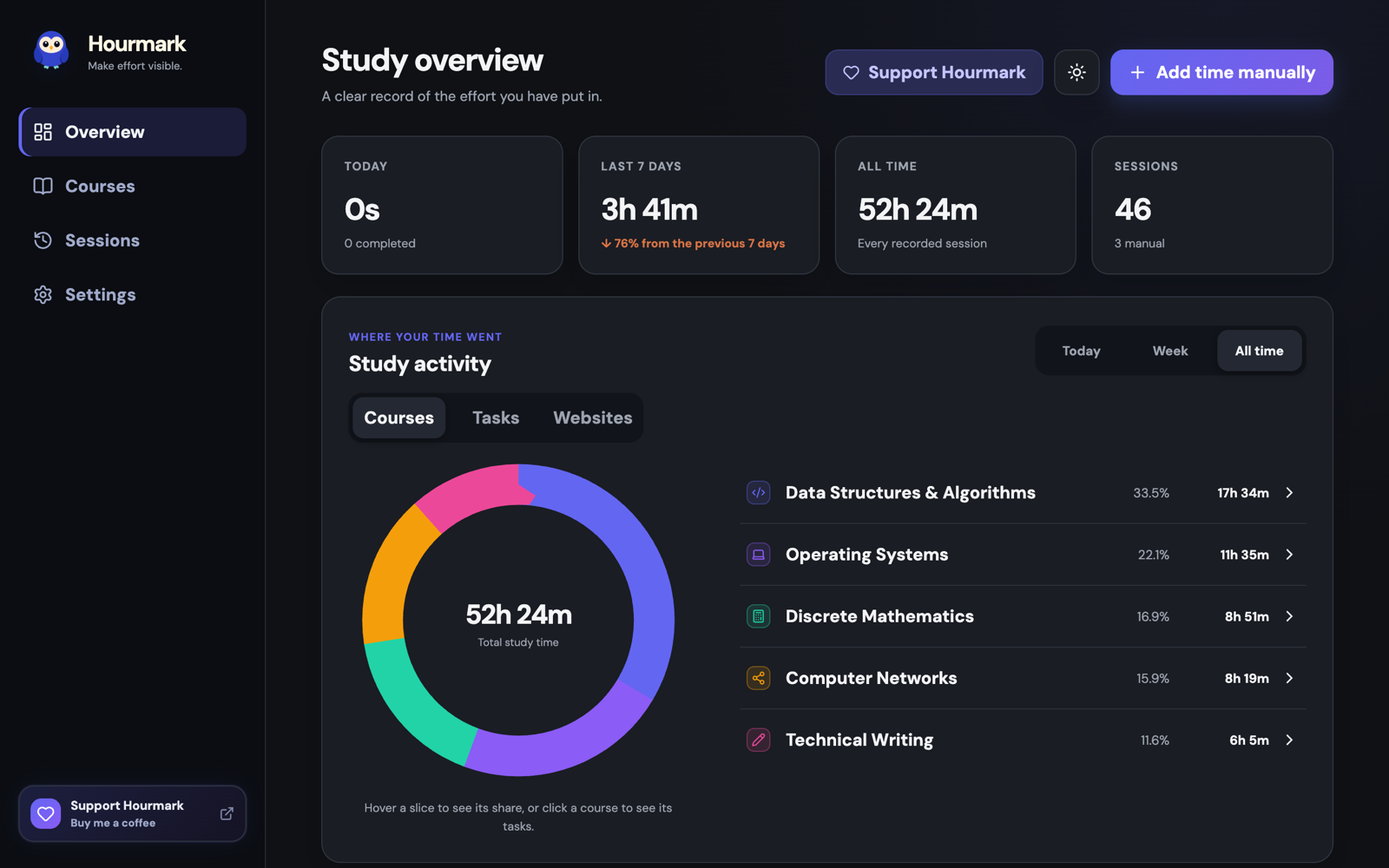
See where the hours went, and export them.
Hours stay attached to real coursework.
Stopwatch, Countdown, or Pomodoro. Pauses and breaks stay out of your totals.
Review website activity recorded during running focus.
Log reading, handwriting, and study groups.
Search, filter and correct every record.
Export CSV or JSON locally, or enable optional Google backup with consent.
Free to use. Contributions are optional and unlock no extra features.
Contributions are not available yet.
Yes. No paid tier, no trial, nothing locked.
Website activity is recorded only during running focus. Pauses, Pomodoro breaks and stopped sessions record no activity.
Your working record stays in Chrome’s extension storage. Optional Google backup requires consent and can automatically restore and merge saved data. See the privacy policy.
Access lets Hourmark record page addresses and titles during running focus, display the floating timer, block selected websites and apply optional website darkening. See the privacy policy for collection and permissions.
Yes. Use Add time in Sessions to record offline study. Added time has no invented browsing activity.
CSV for spreadsheets, or a JSON backup Hourmark can import again.
Report a problem or suggest a change.